Web Editor: Script Updated Date is Not Dynamic
When saving an edited script in the web editor, the Updated date displayed in the UI doesn't update until the page is reloaded. It would be ideal to update the UI to reflect the latest updated date upon save, without requiring a refresh.
This recording was made on Nov 7, 2023. The Updated date continues to display the date the script was last modified at the time the editor page loaded. It should display Nov 7.
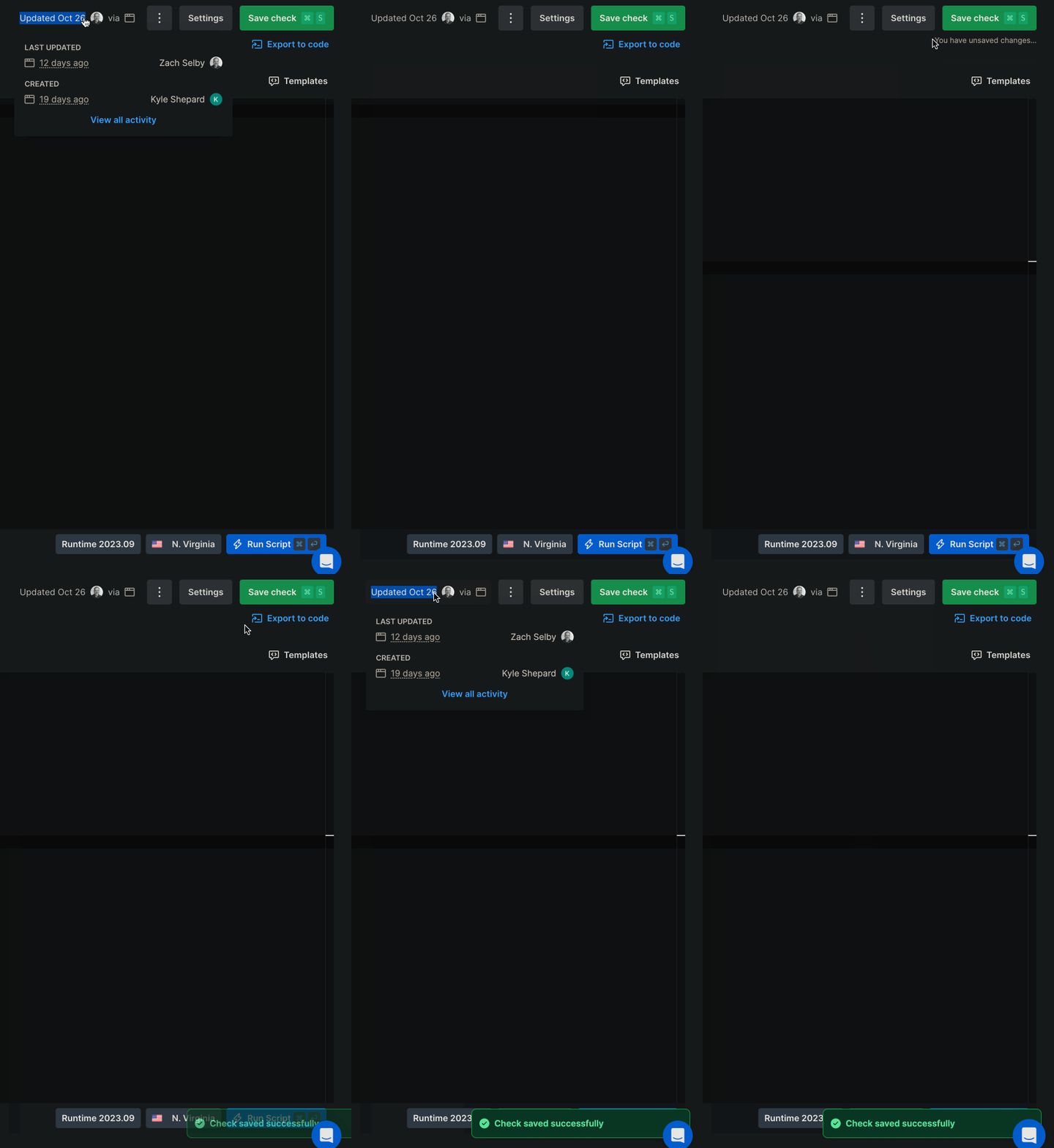
Also, the notification that the script was saved obscures the Run Script call to action for a few seconds. Not a big deal, but it does introduce a UX knowledge gap forcing the user to intuit that they can click the notification to get it out of the way in order to use the Run Script call to action quickly.
Log in to comment and vote
Comments2
Rikard Nilsson
Nov 16, 2023
Hi @Zach Selby - The date not updating correctly has been fixed. I've forwarded the notification UX issue to our design team, and as the main issue in this story has been resolved, I'll go ahead and close this.
Let me know if you have any questions and thanks again for reporting this!
Rikard Nilsson
Nov 8, 2023
Hi Zach,
Thanks for your suggestion! We've opened a ticket to fix the date not updating properly.
Let me know if you have any questions!
Cheers,
Rikard